
Lesson
How You're Tracked
Summary
Every click, search, and scroll leaves a trail that companies are quietly following. Explore the tools websites use to track browsing habits and meet the data brokers who profit from that information.
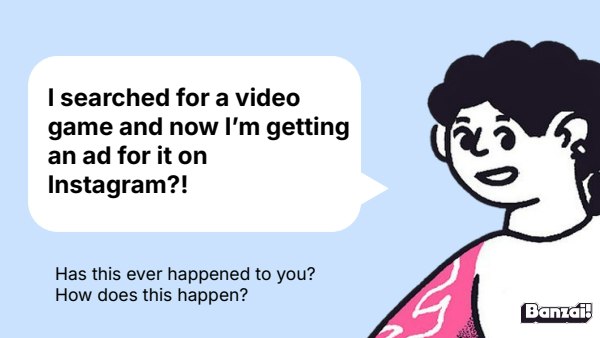
Bellringer: The Ad That Followed You
- Pose the scenario: searching for a product and then seeing ads for it elsewhere
- Collect a few student guesses about how this happens before instruction
Instruction
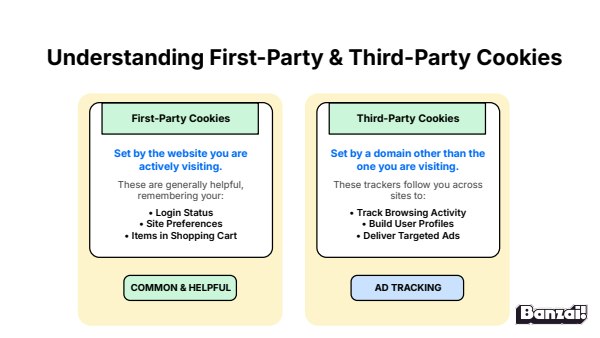
- Define cookies and contrast first-party vs. third-party tracking
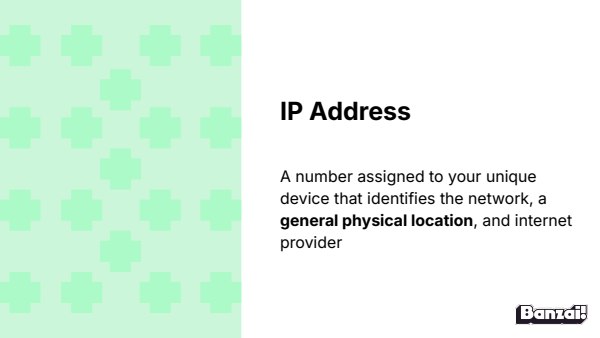
- Explain IP addresses, device fingerprinting, and data brokers
- Have two students read the cookie comparison aloud
Discussion: Are Cookies Good or Bad?
- Have students pick a side (helpful vs. harmful) and defend it
- Surface examples of customer-service cookies vs. ad-tracking cookies
Activity: Digital Footprint Kickoff
- Introduce the Digital Footprint game and its Digital Detective Agency premise
- Students begin the module, to be completed next lesson
Wrap-Up & Assessment
- Explain the difference between first- and third-party cookies.
- What is the goal of a data broker?
| Est. Time | Activity | Description |
|---|---|---|
| 5 min | Bellringer: The Ad That Followed You |
|
| 10 min | Instruction |
|
| 10 min | Discussion: Are Cookies Good or Bad? |
|
| 10 min | Activity: Digital Footprint Kickoff |
|
| 5 min | Wrap-Up & Assessment |
|
Lesson Prep

Digital Footprint
Students learn how websites track personal data through cookies and browsing behavior.
Class Presentation
Includes a 16-slide deck with teacher notes. Present from Banzai, download a PDF, or copy it to Google Slides.


Presentations, Ready to Go
- Built-in PresentationPresent full screen, straight from Banzai
- Copy to Google SlidesMake an editable copy for your class
- Download or PrintSave as a PDF or print
- Teacher NotesSlide-by-slide guidance, printable as one handout
Unit 3: Digital Footprint

What You Leave Behind
Nothing you post online is ever truly gone—not the group chat, not the "finsta" (fake Instagram), not the disappearing Snapchat. This lesson unpacks the concepts of public, private, and permanent content, and challenges students to think about the invisible audience watching everything they share.

How You're Tracked
Every click, search, and scroll leaves a trail that companies are quietly following. Explore the tools websites use to track browsing habits and meet the data brokers who profit from that information.
You Are the Product
Free apps aren't actually free; you're the one paying, just not with money. This lesson unpacks how apps profit from user data and turn attention into advertising dollars.
How do Banzai lesson plans work? See the FAQ.